

Last Updated on September 3, 2026
Contents
The best free animation software in 2026 are Blender (3D and advanced 2D), OpenToonz (professional 2D, used on studio productions), Pencil2D and Krita (simple 2D, great for beginners), and Synfig Studio (vector 2D). All are completely free. Below, 20 free tools are compared by what they do best, the platform they run on, and the skill level they suit, so you can pick the right one in seconds.
Animation is no longer limited to professionals with expensive tools and studios. Today, free animation software lets beginners, hobbyists, and even professionals create high-quality animations without spending a dime. Whether you want cartoon animations, 3D models, or explainer videos, the right tool is out there. Use this list to streamline your animation pipeline, and if you would rather have it made for you, see our animated video production service.
| Software | Type | Best for | Platform | Skill | Price |
|---|---|---|---|---|---|
| Blender | 3D + 2D (Grease Pencil) | 3D animation & advanced work | Win / macOS / Linux | Intermediate to Pro | Free (open-source) |
| OpenToonz | 2D | Professional 2D | Win / macOS | Intermediate to Pro | Free (open-source) |
| Krita | 2D | Frame-by-frame & digital art | Win / macOS / Linux | Beginner to Inter. | Free (open-source) |
| Pencil2D | 2D | Simple hand-drawn animation | Win / macOS / Linux | Beginner | Free (open-source) |
| Synfig Studio | 2D vector | Vector / tweened animation | Win / macOS / Linux | Beginner to Inter. | Free (open-source) |
| TupiTube | 2D | Kids & absolute beginners | Win / macOS / Linux / Android | Beginner | Free (open-source) |
| Animaker | 2D / motion graphics | Drag-and-drop explainers | Web | Beginner | Free (watermark) |
| Plastic Animation Paper | 2D | Hand-drawn 2D roughing | Win / macOS | Beginner to Inter. | Free |
| DAZ Studio | 3D | 3D character posing & animation | Win / macOS | Intermediate | Free |
| Clara.io | 3D | Browser-based 3D modeling | Web | Intermediate | Free (freemium) |
| HitFilm Express | VFX + animation | Motion graphics & compositing | Win / macOS | Intermediate | Free |
| Vectr | 2D vector | Simple vector graphics | Web / Win / macOS | Beginner | Free |
| Animation Desk | 2D | Frame-by-frame on tablets & PC | Win / Android / iOS | Beginner | Free (in-app extras) |
| Stykz | 2D | Stick-figure animation | Win / macOS / Linux | Beginner | Free |
| Clip Studio Paint | 2D | Frame-by-frame & digital art | Win / macOS / iOS | Beginner to Inter. | Free trial / freemium |
| Google Web Designer | HTML5 | Web ads & interactive HTML5 | Win / macOS / Linux | Beginner to Inter. | Free |
| Toon Boom Harmony (trial) | 2D | Professional 2D (studio standard) | Win / macOS | Pro | Free trial (paid after) |
| Pivot Animator | 2D | Simple stick-figure / sprite animation | Win | Beginner | Free |
| Powtoon | 2D / motion graphics | Explainer & presentation videos | Web | Beginner | Free (watermark) |
| FlipaClip | 2D | Mobile frame-by-frame | Android / iOS | Beginner | Free (in-app extras) |
What to Look for in Free Animation Softwares
Not all animation software is created equal, and what works for one project might not be ideal for another. Here are some key factors to consider when evaluating free animation softwares.
User-Friendly Interface
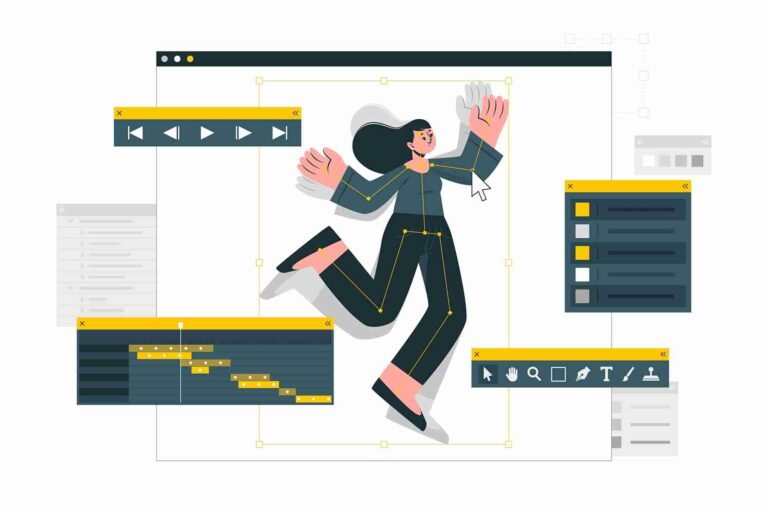
Ease of use is critical, especially if you are new to animation. Many beginners are intimidated by complex software with a steep learning curve, so choosing an animation tool with a user-friendly interface is essential. Look for a program with intuitive menus, simple navigation, and clear tool labels.
For example, Pencil2D is popular among beginners because of its clean, minimalistic interface. Its layout is simple and designed to help you start animating without spending hours figuring out the basics. TupiTube also stands out for its beginner-friendly design, especially for kids and educators.
A simple interface does not mean a lack of features, either. Many tools balance usability with advanced capabilities, letting you learn the ropes and grow with the software as your skills improve.
Features and Capabilities
When evaluating software, it is important to check the core features that will support your animation needs. Here are some must-have features in any free animation tool:
- Layers: Layers let you separate different elements of your animation, such as backgrounds, characters, and effects. This is crucial for more complex animations where multiple elements interact.
- Onion Skinning: A key feature for frame-by-frame animation, onion skinning lets you see the previous and next frames while working on the current one. This helps ensure smooth transitions between frames.
- Frame-by-Frame Animation: Essential for traditional hand-drawn animations, this feature lets you create each frame individually, ensuring precision and control.
- Rigging Tools: For character animation, having rigging or bone tools is essential. This lets you create skeletons for your characters, giving you control over how they move.
- Sound and Lip Sync Tools: For animations that include dialogue, the ability to sync audio with character movements is a big plus.
Programs like Blender offer an extensive range of features, including 3D modeling, animation, rendering, and motion tracking, while others, like OpenToonz, cater more to 2D animators with robust frame-by-frame tools and support for vector-based graphics.
Compatibility and System Requirements
Before downloading any software, make sure it is compatible with your operating system. Many tools are cross-platform, meaning they work on Windows, macOS, and Linux, but some are specific to certain systems.
Also check the system requirements. Some animation programs, especially those that support 3D animation like Blender, can be resource-intensive and require higher RAM, processing power, or a strong GPU. Meanwhile, lightweight programs like Pencil2D and Synfig Studio run smoothly on most systems without needing advanced hardware.
The 20 Best Free Animation Softwares
Here are all 20 free animation tools in full, from beginner-friendly picks to professional-grade software. Each one lists what it is best for, the platform it runs on, the skill level it suits, and the price.
1. Blender
Though Blender is often associated with 3D modeling and animation, it also offers excellent tools for beginners eager to dive into 3D animation. Blender is open-source, meaning it is constantly updated by a vibrant community of users. Its comprehensive features include 3D modeling, rigging, animation, simulation, and rendering, making it suitable for almost any animation project.
While the learning curve can be steep for first-time users, Blender offers countless online tutorials and a supportive community to help you get started.
Best for: 3D animation & advanced work | Platform: Windows, macOS, Linux | Skill: Intermediate to Pro | Price: Free (open-source)
2. OpenToonz
OpenToonz is a fantastic 2D animation software that caters to both beginners and professionals. It is open-source and has been used in major animation productions, so you can trust it offers powerful tools. One of its key features is the ability to customize its effects and tools, letting you create animations that match your vision.
OpenToonz is perfect for those who want to start with 2D animation but still need professional-quality software.
Best for: Professional 2D | Platform: Windows, macOS | Skill: Intermediate to Pro | Price: Free (open-source)
3. Pencil2D
Pencil2D is the go-to choice for beginners interested in traditional hand-drawn 2D animation. It is lightweight and offers a minimalistic interface, making it extremely easy to learn. Despite its simplicity, Pencil2D supports both bitmap and vector graphics, giving you flexibility in your animation style.
The tool focuses on frame-by-frame animation and is ideal for simple cartoon animations or quick sketches. It is free, cross-platform, and frequently updated by its open-source community.
Best for: Simple hand-drawn 2D animation | Platform: Windows, macOS, Linux | Skill: Beginner | Price: Free (open-source)
4. Synfig Studio
Synfig Studio is another great option for 2D animation, especially if you are looking for a more advanced tool than Pencil2D. Synfig is known for its vector-based animation, meaning you can create animations without redrawing every frame. This makes it a great choice for fluid, professional-quality animations with minimal effort.
With its advanced controls, including bone systems for character animation, Synfig Studio is an excellent free alternative to more expensive tools like Adobe Animate.
Best for: Vector-based 2D animation | Platform: Windows, macOS, Linux | Skill: Beginner to Intermediate | Price: Free (open-source)
5. TupiTube
Designed with beginners and young animators in mind, TupiTube is an easy-to-use 2D animation tool that helps users create short animations or simple cartoons. Its intuitive interface makes it perfect for children, educators, and animation newcomers.
TupiTube does not have the advanced features of more complex tools like Blender or Synfig, but it is great for anyone looking to get started with animation quickly. It is also available on mobile devices, making it a versatile option for animating on the go.
Best for: Beginners, kids, and educators | Platform: Windows, macOS, Linux, Android | Skill: Beginner | Price: Free (open-source)
6. Krita
Krita is primarily known as a digital painting tool but also supports frame-by-frame animation. With customizable brushes and animation support, it is great for artists focusing on 2D animations.
Best for: 2D frame-by-frame animation & digital art | Platform: Windows, macOS, Linux | Skill: Beginner to Intermediate | Price: Free (open-source)
7. Animaker
Animaker is a cloud-based tool with templates for creating explainer videos and animations. Its drag-and-drop interface is highly accessible, making it ideal for beginners.
Best for: Animated explainer videos | Platform: Web | Skill: Beginner | Price: Free (watermark)
8. Plastic Animation Paper
Plastic Animation Paper (PAP) offers a unique hand-drawn animation experience. Although its interface is a bit dated, it is lightweight and ideal for quick sketches and concept animations.
Best for: Hand-drawn 2D animation | Platform: Windows, macOS | Skill: Beginner to Intermediate | Price: Free
9. DAZ Studio
DAZ Studio specializes in 3D modeling and animation, especially for character creation. It is a great tool for beginners interested in 3D character animation.
Best for: 3D character modeling and animation | Platform: Windows, macOS | Skill: Intermediate | Price: Free
10. Clara.io
Clara.io is a web-based 3D modeling, rendering, and animation tool with features like subdivision modeling, VRay rendering, and keyframe animation. It is user-friendly and accessible, making it a great option for animators who want to work in 3D.
Best for: Web-based 3D animation | Platform: Web | Skill: Intermediate | Price: Free (freemium)
11. HitFilm Express
HitFilm Express is a free video editing software with animation capabilities. While not a dedicated animation tool, it supports motion graphics and visual effects, ideal for animated video editing.
Best for: Motion graphics and video editing | Platform: Windows, macOS | Skill: Intermediate | Price: Free
12. Vectr
Vectr is a free vector graphic design software with limited animation capabilities, suitable for creating animated SVGs. It is web-based, making it accessible for simple vector animations.
Best for: Simple vector animations | Platform: Web, Windows, macOS | Skill: Beginner | Price: Free
13. Animation Desk
Animation Desk offers a traditional drawing experience for creating 2D animations. Its friendly interface makes it suitable for beginners wanting to learn frame-by-frame animation on tablets or PCs.
Best for: Traditional 2D animation | Platform: Windows, Android, iOS | Skill: Beginner | Price: Free (in-app extras)
14. Stykz
Stykz is a free animation software for creating stick figure animations. Its simplicity makes it ideal for beginners interested in basic frame-by-frame animations.
Best for: Stick figure animations | Platform: Windows, macOS, Linux | Skill: Beginner | Price: Free
15. Clip Studio Paint
Clip Studio Paint is known for digital art but also offers animation tools for creating short frame-by-frame animations. It is great for artists who want to integrate animation into their illustrations.
Best for: Frame-by-frame animation and digital art | Platform: Windows, macOS, iOS | Skill: Beginner to Intermediate | Price: Free trial / freemium
16. Google Web Designer
Google Web Designer is a free tool for creating HTML5-based animations and graphics. It is primarily used for web animations and digital advertisements.
Best for: HTML5 animations for web | Platform: Windows, macOS, Linux | Skill: Beginner to Intermediate | Price: Free
17. Toon Boom Harmony
Toon Boom Harmony is a professional 2D animation software used across the industry. While it is not fully free, the free trial gives access to advanced tools for those interested in exploring professional animation.
Best for: Professional 2D animation | Platform: Windows, macOS | Skill: Pro | Price: Free trial (paid after)
18. Pivot Animator
Pivot Animator is a simple software for creating stick-figure and sprite-based animations. It is beginner-friendly and offers basic tools for frame-by-frame animation.
Best for: Stick-figure animations | Platform: Windows | Skill: Beginner | Price: Free
19. Powtoon
Powtoon is a web-based animation tool ideal for creating animated presentations and explainer videos. With customizable templates and drag-and-drop functionality, it is perfect for non-designers.
Best for: Animated presentations and explainer videos | Platform: Web | Skill: Beginner | Price: Free (watermark)
20. FlipaClip
FlipaClip is a mobile animation app geared toward creating frame-by-frame animations. It is highly intuitive, making it popular for beginners looking to animate on their mobile devices.
Best for: Mobile frame-by-frame animation | Platform: Android, iOS | Skill: Beginner | Price: Free (in-app extras)
How to Choose the Right Free Animation Software
With so many great options, how do you choose the best free cartoon animation maker software or 3D tool for your needs? Here are some things to consider:
Match Your Skill Level
If you are a beginner, it is best to start with software that is easy to use, like Pencil2D or TupiTube. These tools offer a simple interface and basic animation features, letting you focus on learning the fundamentals. As you become more comfortable, you can graduate to more advanced software like Blender or Synfig Studio, which offer more robust tools for experienced animators.
Consider Your Animation Style
The type of animation you want to create, whether 2D, 3D, or stop motion, should heavily influence your choice of software. For 2D animation, OpenToonz and Pencil2D are top choices. If you want to create 3D animation, Blender is one of the most powerful free tools available. Each tool has strengths tailored to specific animation styles, so choose accordingly. If you want to learn the full workflow, see our guide to 2D animation step by step.
Community Support and Resources
A strong user community can make all the difference when learning a new tool. Programs like Blender and Synfig Studio have large, active communities that offer extensive resources, tutorials, and forums for troubleshooting. This support can be incredibly valuable as you are learning the software, especially when you encounter issues or need help with specific features.
Frequently asked questions
Blender is the best free tool for 3D, while OpenToonz and Krita lead for professional and frame-by-frame 2D. For absolute beginners, Pencil2D and FlipaClip are the easiest free options.
Download a free, open-source animation tool such as Blender, Krita, OpenToonz, Pencil2D, or Synfig Studio, all of which are fully featured at no cost. Beginners can start with Krita or FlipaClip.
FlipaClip is free to download and use for frame-by-frame animation, with optional in-app purchases that unlock extra tools and remove limits. The core app is free.
CapCut is a video editor with keyframe tools for simple motion, but it is not a true frame-by-frame animation program. For real 2D or 3D animation, use Krita, OpenToonz, or Blender instead.
Conclusion
When it comes to finding the best free animation software for 2026, there are plenty of choices depending on your skill level, project needs, and system requirements. Whether you are a beginner looking for easy, free animation software or an experienced animator seeking advanced features, there is something for everyone.
For beginners, Pencil2D and TupiTube are great places to start, offering user-friendly interfaces and essential tools for 2D animation. If you are ready to tackle more complex animations, Blender and Synfig Studio provide robust features for 3D and vector-based work. Whatever your creative vision, these free tools will help you bring your ideas to life without costly software. And when you need a polished result made for you, our team offers professional 2D animation as part of our animated video production service, so get in touch any time.
